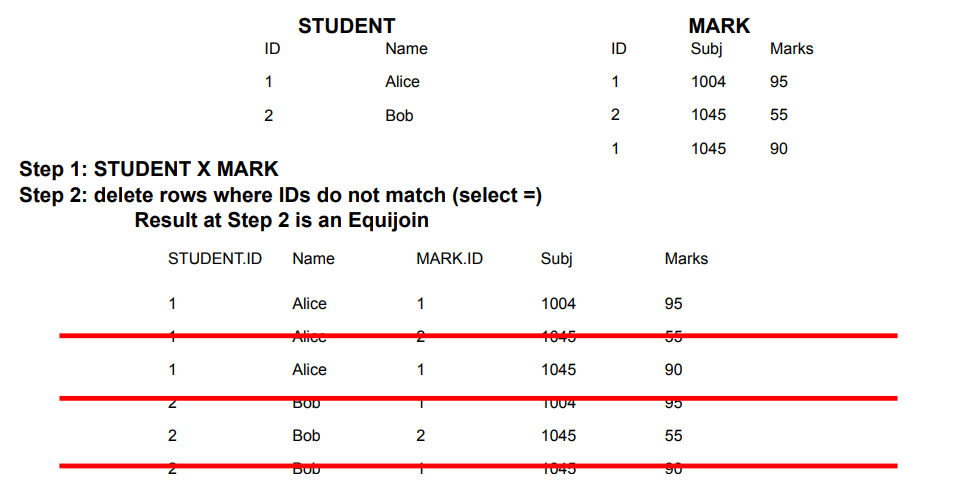
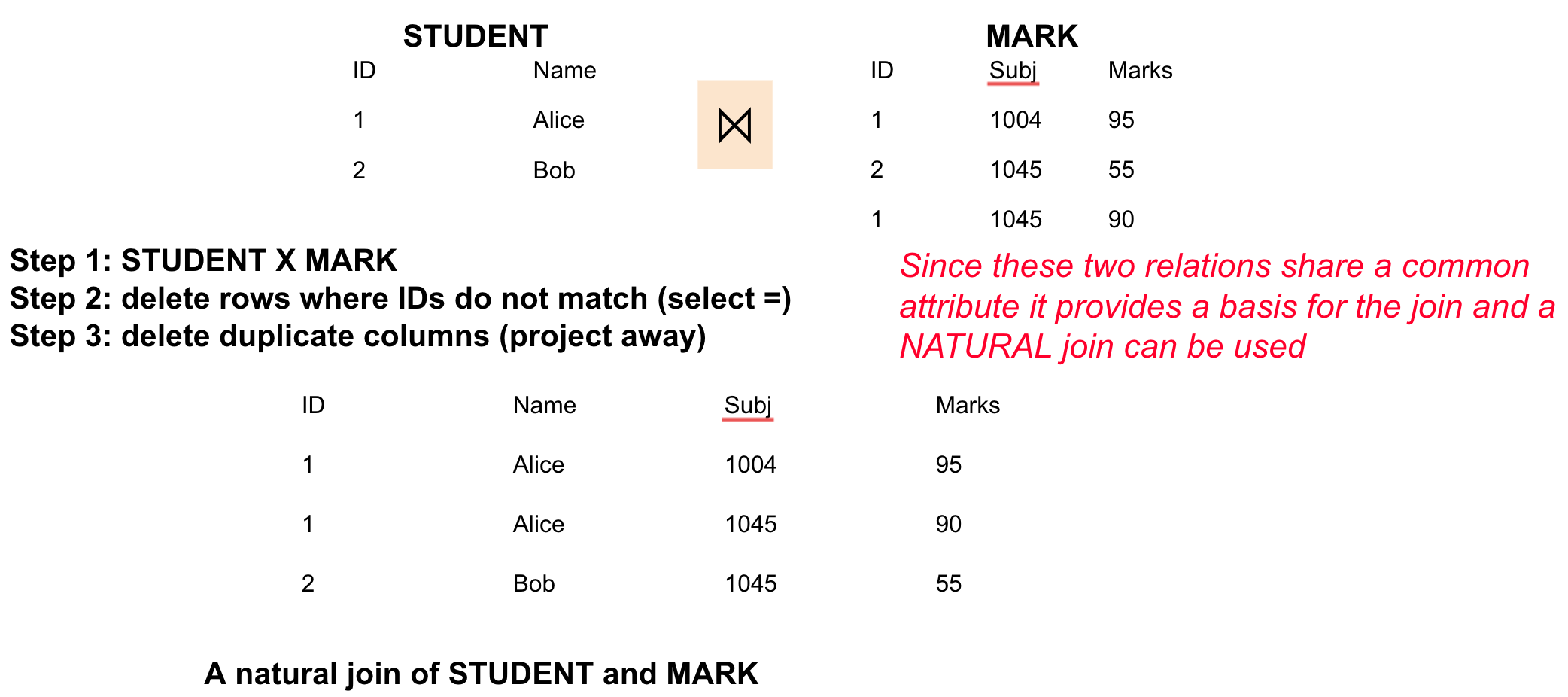
Context:FIT2094_MOC, FIT3003_MOC · combine rows across tables on a PK–FK match · SQL form of the relational-algebra join · ANSI syntax required in FIT2094; FIT3003 lectures and labs use the old-style formProblem it solves: retrieve columns from two related tables, matching each child row to its parent.
Quick Revision
🎯 Trigger: data spans two tables ➔ JOIN … ON (explicit condition); shortcut to USING/NATURAL only when key names match.
⚡ Key Constraint: a NATURAL JOIN on tables with no common column silently becomes a Cartesian product, not a join — as does an old-style join with a missing WHERE condition.
Expected output: manufacturers matched to their drone types; the result has twomanuf_id columns (one per table).
JOIN … ON ➔ most flexible/reliable; state the equi-join condition explicitly; works even when key columns are named differently; keeps both columns (duplicate).
Prefix duplicates ➔ with duplicate names you must qualify: manufacturer.manuf_id.
JOIN … USING (col) ➔ when both tables share the column name; removes the duplicate column.
NATURAL JOIN ➔ no condition; auto-joins on all same-named columns and drops duplicates.
🔀 Variations
Form
Condition
Duplicate col?
Requires
JOIN … ON
explicit ON a=b
kept (qualify)
nothing (any names)
JOIN … USING
USING (col)
removed
same column name
NATURAL JOIN
implicit (all common names)
removed
same column name(s)
old-style / implicit
join condition in WHERE
kept (qualify)
one condition per table pair
🔹 Old-style (implicit) join — FIT3003 house syntax
Three-table join: comma-list FROM + join conditions in WHERE
Table alias, no AS ➔ customer ct; prefixing every attribute is recommended whenever more than one table is involved, to avoid ambiguity.
Condition count ➔ joining n tables needs n−1 join conditions in the WHERE, ANDed with any search conditions.
💡 Common Mistake:Missing join condition = PRODUCT, not a join ➔ FIT3003 warns this exhausts your Oracle quota and locks your account; count your ANDs before you run.
✍️ Practice
Practice 1: Join MANUFACTURER and DRONE_TYPE on manuf_id with a singlemanuf_id column in the output, assuming the column name matches in both.
Reference solution
SELECT *FROM drone.manufacturerJOIN drone.drone_type USING (manuf_id);
Key move: USING collapses the shared manuf_id to one column (ON would leave two).
Practice 2 (FIT3003 Lab 1, Q27-style): number of sold cars for each colour, using old-style syntax.
Reference solution
SELECT colour, COUNT(DISTINCT customerId)FROM car c, carsales csWHERE c.carid = cs.caridGROUP BY colour;
Key move: the join condition lives in WHERE and runs before grouping; the grouping column repeats verbatim in GROUP BY.
⚠️ Common Mistakes
💡 Unit-specific syntax rule ➔ implicit joins are banned in FIT2094 (marked wrong in all assessments) but taught and used in FIT3003 — match the syntax to the unit assessing you.
💡 NATURAL JOIN with no shared column = Cartesian product ➔ every row paired with every row; prefer explicit JOIN … ON when unsure.
💡 INNER drops unmatched rows ➔ to keep a table’s rows with no match (or join a table to itself), see SQL Self Join and Outer Join.